LoL Top Lane Tier List Maker
The 59 champions played in the top lane in League of Legends, each with its official icon, ready to rank.
Items to rank
59 Aatrox
 Akali
Akali Ambessa
 Aurora
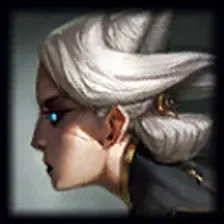 Camille
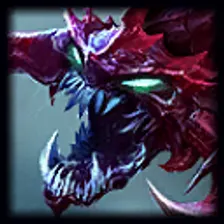 Cho'Gath
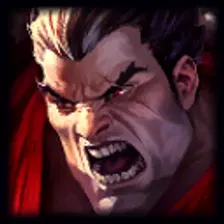 Darius
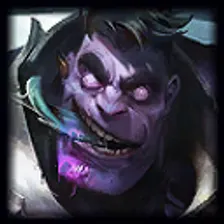 Dr. Mundo
 Fiora
Fiora Gangplank
 Garen
Garen Gnar
Gnar Gragas
 Gwen
Gwen Heimerdinger
 Illaoi
 Irelia
 Jax
Jax Jayce
Jayce K'Sante
 Karma
Karma Kayle
Kayle Kennen
 Kled
Kled Malphite
 Mordekaiser
 Nasus
Nasus Olaf
Olaf Ornn
Ornn Pantheon
 Poppy
Poppy Quinn
Quinn Renekton
 Rengar
 Riven
Riven Rumble
 Sett
Sett Shen
Shen Singed
 Sion
Sion Skarner
 Smolder
 Sylas
Sylas Tahm Kench
 Teemo
Teemo Trundle
 Tryndamere
 Twisted Fate
 Udyr
Udyr Urgot
Urgot Vayne
Vayne Vladimir
 Volibear
 Warwick
 Wukong
 Yasuo
Yasuo Yone
Yone Yorick
 Zac
ZacDrag the 59 items below into the tiers that match how you rank them. Rename any row, change its colour, add your own pictures, then save the chart as an image.
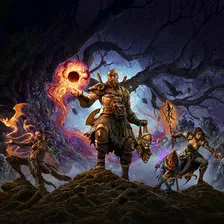






How to rank LoL Top Lane
Drag Aatrox into the row you think it belongs in and the rest becomes easier, because every later choice is a comparison rather than a guess. If two items keep swapping places, put them side by side in the same tier and move on. A tier list is meant to settle arguments, not start them with yourself.
What the tiers mean here
A lot of LoL Top Lane rankings sort by raw strength, but power is not the only axis. Ease of use, how well something fits the rest of your team, and how much you enjoy playing it are all fair reasons to put Nasus above Twisted Fate.
About this set
This set holds 59 items, filed under Video Games. Every item comes with a picture, taken from the game's own art and its community wiki. Nothing is fixed: add your own images, rename a tier, change the colours, or delete anything you do not care about before you start.
Questions about this tier list
How many items are in the LoL Top Lane tier list?
Can I add something that is missing from LoL Top Lane?
How do I share my LoL Top Lane ranking?
Ready to make a tier list?
Scroll back up, add your items, drag them into tiers and download the image. No sign-up, and nothing you make is stored on our servers.